
AxoHabit vs Opal: an honest comparison (from the team building one of them)
An honest comparison of AxoHabit and Opal. Two screentime apps, two philosophies — which fits you depends on how you failed the last time.
If you’re looking at Opal right now, you probably already know the basics: it blocks distracting apps on iOS, has a clean design, offers “sessions” and “focus scores,” and has a paid subscription. It’s a well-built product. A lot of people get real value out of it.
I’m about to tell you why I built a different screentime app, and in the process I’ll be as fair as I can about what Opal does well. I’m not going to pretend Opal is bad — it isn’t. But it’s built on a different assumption about how behavior change works, and that assumption didn’t match my experience. This post is for people who also tried Opal and noticed the gap.
What Opal does well
Let me get this out of the way, because it matters.
- Design. Opal’s UI is genuinely one of the nicer consumer iOS apps in the category. Fast, quiet, zero friction to set up.
- Focus sessions. The “start a session now” flow is simple and it works. If you just need 25 quiet minutes, Opal delivers.
- Insights. The weekly reports are well-produced and the “focus score” gamification is a real motivator for some people.
- Reliability. It doesn’t crash. It doesn’t nag. It doesn’t push notifications at weird times. The craftsmanship is there.
If you’re a knowledge worker who just needs to block Slack for two hours during deep work, Opal is probably fine. It’s a work concentration tool more than it is a screentime-for-habits tool, and it does that job well.
Where Opal’s mechanic falls short
All of the above said, Opal is built on the same core assumption as almost every other screentime app: timed blocks plus friction. You set limits, you start a session, the app enforces it, and if you want to bypass, there’s a small speed bump.
I wrote about why that pattern fails in a longer post, but the short version: the speed bump is a speed bump. Your brain learns to drive over it. Within two weeks, most people find themselves bypassing the limit without emotional resistance — the block becomes invisible UI.
Opal tries to mitigate this with the paywall: the strictest bypass controls are behind the Pro subscription. This is a product choice I understand — it increases the cost of bypassing by making the user pay for stricter enforcement. But it has two side effects:
- If you’re not a paying subscriber, the free version is easy to bypass — which means the people most likely to have a screentime problem (casual users who won’t pay $5/month) get the weakest enforcement.
- Even on Pro, the mechanic is still willpower-based. You can still bypass. The app still tries to enforce a rule you set using a tool you control.
Opal’s model works beautifully for someone who just needs help concentrating. It works less well for someone who needs help because they can’t stop scrolling.
How AxoHabit is different
AxoHabit starts from a different question. Instead of “how do we block the app harder?”, it asks “what would make the user earn the screentime?”
The loop:
- You pick the apps to block.
- You complete a real habit — exercise, reading, meditation, drinking water — and snap a photo of yourself doing it.
- An AI analyzes the photo to verify the habit actually happened.
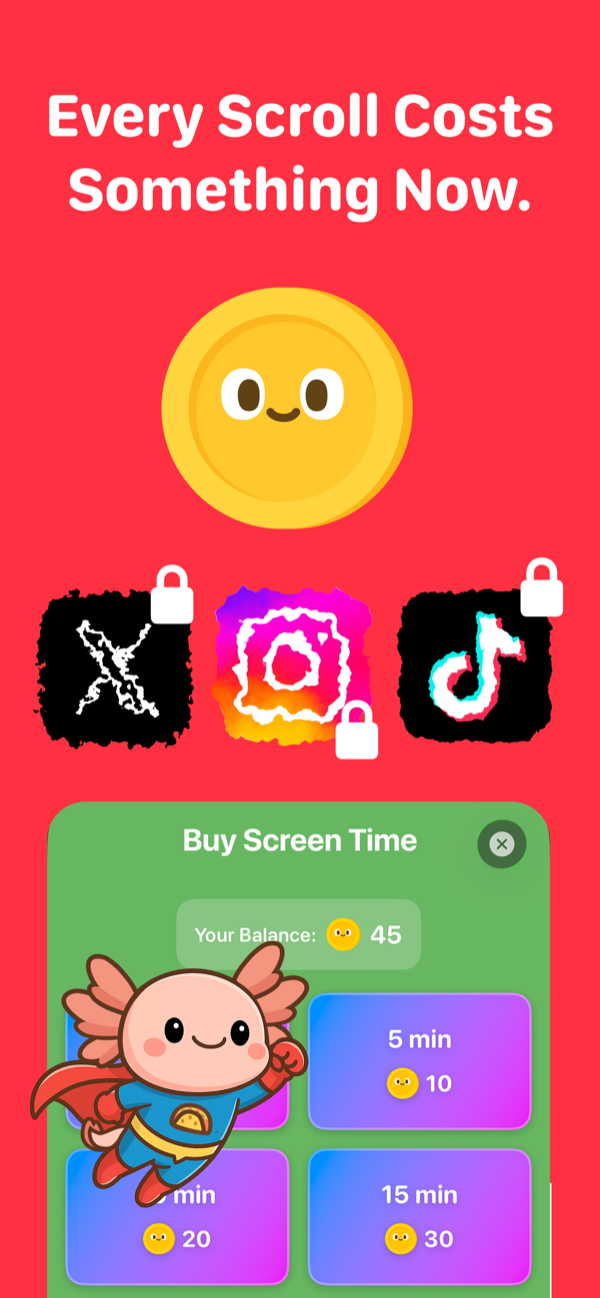
- Successful habits earn coins. Coins buy minutes of screentime on the blocked apps.
Notice: there is no “bypass” button. There’s no willpower check. The only way to unlock TikTok is to do a push-up. Or drink a glass of water. Or whatever habit you set up.
The mechanic is an action-for-access trade, not a block. It doesn’t ask you to say no to your phone; it asks you to say yes to a specific action that earns the phone back.
Side-by-side
| Opal | AxoHabit | |
|---|---|---|
| Core mechanic | Timed blocks + friction | Habits earn screentime (coin economy) |
| Bypass model | Speed bump (with paid “strict” mode) | No bypass — only habits unlock |
| Requires willpower at the moment of temptation? | Yes | No |
| Photo/action verification | No | Yes (AI-verified) |
| Price | Free + Pro subscription (~$5/mo) | Free |
| Platform | iOS (and Android) | iOS (Android in review) |
| Best for | Knowledge workers needing focus sessions | People who want to exchange real actions for screentime |
| Aesthetic | Minimalist, professional | Cute, gamified, axolotl mascot |
Who should use which
Use Opal if:
- You’re fundamentally fine but want a focus-session tool for deep work.
- You like minimalist UIs and don’t want a mascot looking at you.
- You’re willing to pay a subscription for stricter enforcement.
- You want reliable, professional-feeling concentration software.
Use AxoHabit if:
- You’ve tried timer-based blockers and bypassed them all within a week.
- You want your screentime tied to actual real-life actions, not a countdown.
- You like games and gamification and want your habit tracker to feel fun.
- You want something free, with no subscription.
- You want AI verification so you can’t cheat yourself.
An honest caveat
I build AxoHabit. I’m biased. If you’re a current happy Opal user, this post isn’t trying to convert you — it’s trying to help the person who tried Opal, bounced, and doesn’t know why.
If that person is you, AxoHabit is free on iOS. Try it alongside Opal for a week. See which one you actually stick with. That’s the only honest test.
The best screentime app is the one whose mechanic matches the way you fail. If you’ve been failing to the same willpower test over and over, try one that doesn’t run that test.